


The Akeneo Marketplace Extension enables seamless synchronization of products, categories, attributes, attribute sets, and media from Akeneo PIM to Adobe Commerce (Magento 2). Built on an automation-first foundation, it replaces manual updates with structured mappings, validation rules, and scheduled sync operations. Using optimized REST APIs and an intelligent job queue architecture, the extension ensures data accuracy, consistent product updates, and full visibility into every sync.
With support for high-volume catalogs (40,000+ SKUs), multilingual store views, and multiple Adobe Commerce instances, the extension is engineered for performance and scalability. Comprehensive logging, retry mechanisms, error tracking, and real-time monitoring make it robust for enterprise environments. The result is a faster, more reliable product workflow that significantly reduces time-to-market and operational overhead.
Key Scenarios Considered:
- Manual Data Duplication Prevention – Eliminates repetitive updates across PIM and Adobe Commerce.
- Handling Large Catalogs – Designed for 10,000+ SKUs with parallel workers.
- Missing Attribute Validation – Ensures all required attributes exist before sync.
- Incorrect Category Linking – Detects unmapped or mismatched categories early.
- Outdated Media Updates – Ensures the latest images/videos sync every cycle.
- Multilingual Stores – Supports EN/DE/ES (or any locale) with store-view mapping.
- Option Label Translation – Maintains accurate localized dropdown values.
- Product Structure Consistency – Validates attribute sets and group assignments.
- Sync Performance Optimization – Uses queue-based parallel processing for speed.
- Error & Retry Scenarios – Auto-handles partial failures or API timeouts.
- Product Creation vs Update – Detects new vs existing products intelligently.
- Multi-Website Configurations – Works across multiple Adobe Commerce websites/environments.
- Bulk Changes (e.g., new brand launch) – Handles sudden catalog expansion smoothly.
- SEO Metadata Handling – Ensures meta fields sync correctly in all languages.
Features
- Automated Product Sync – Syncs simple products automatically via cron or manual triggers.
- Category Export Engine – Pushes complete category structures with mapping rules.
- Attribute & Option Sync – Synchronizes Adobe Commerce attributes and their options accurately.
- Attribute Set Management – Exports Akeneo attribute groups into Adobe Commerce attribute sets.
- High-Performance REST API Connector – Uses optimized Adobe Commerce REST endpoints for speed.
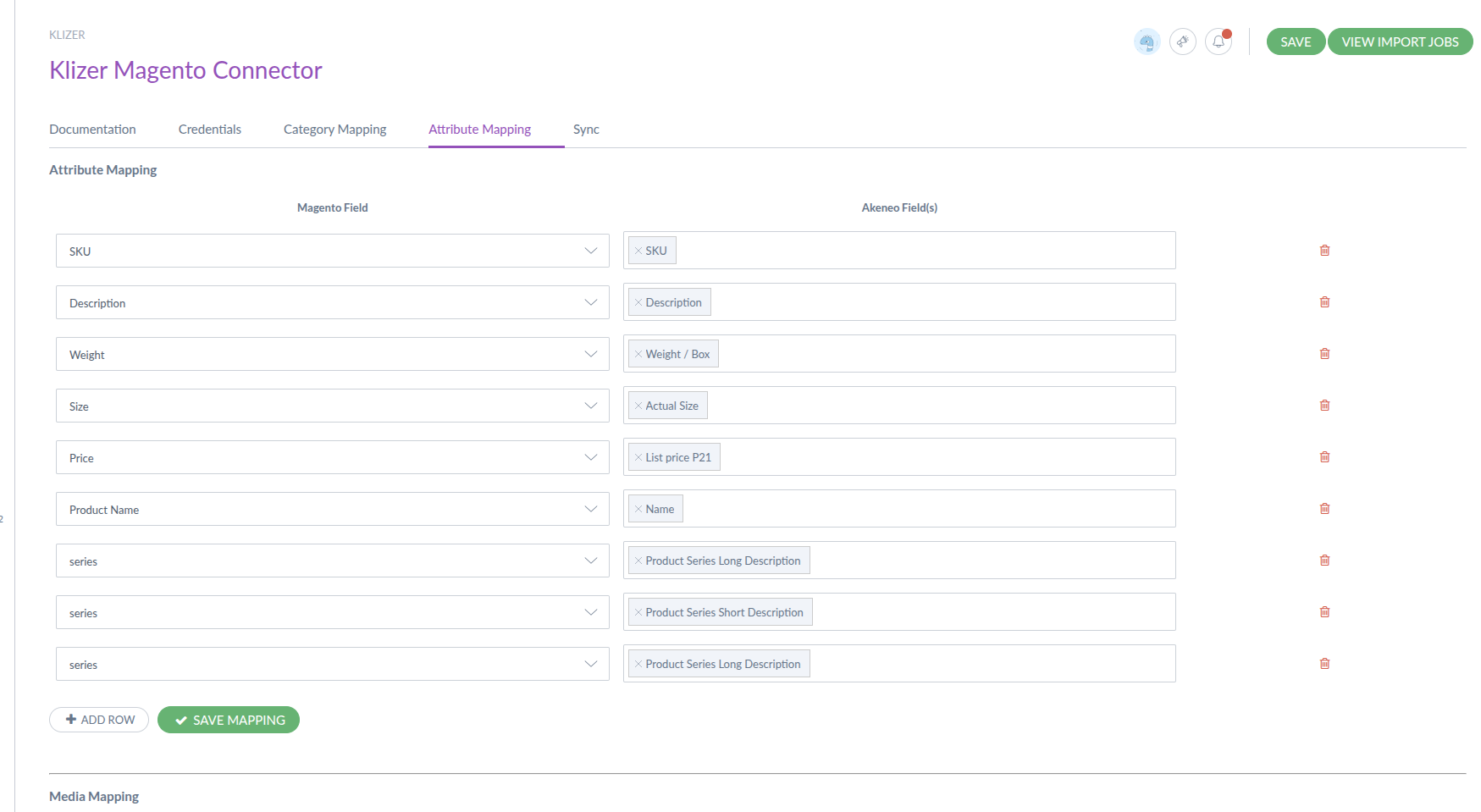
- Mapping Framework – Attribute, category, and media mappings ensure clean, structured data.
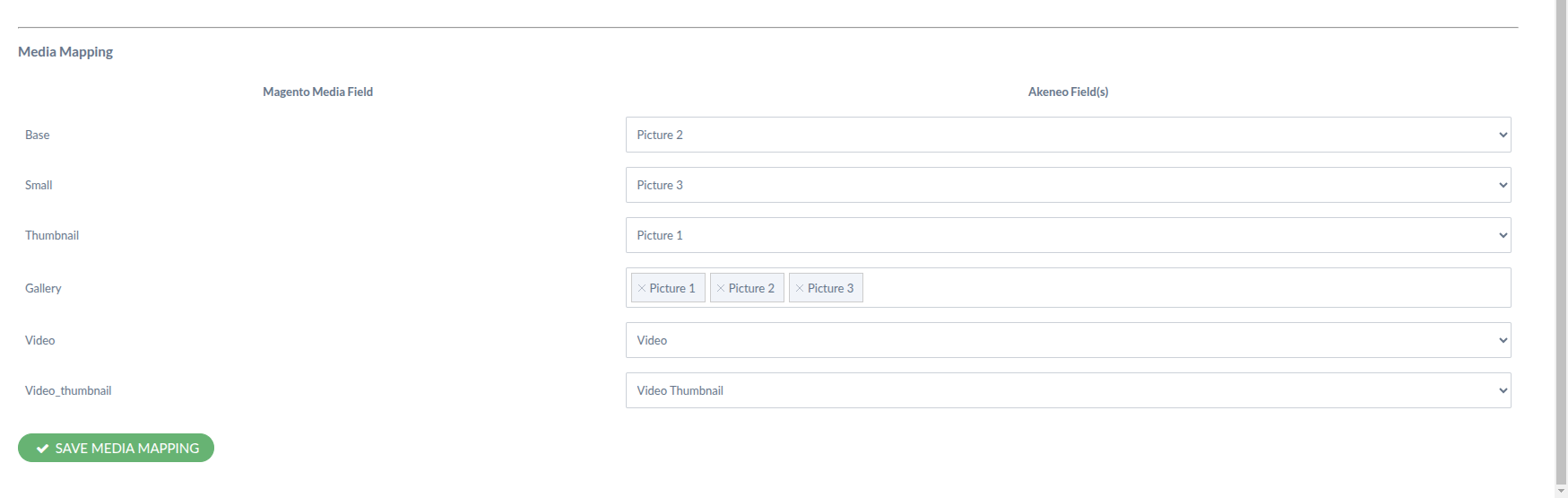
- Media Synchronization – Syncs base, small, thumbnail, gallery, and video assets.
- Multilingual Store Support – Maps each store view to Akeneo locales for translations.
- Validation Engine – Ensures no missing attributes, categories, or media.
- Scalable Job Queue (RabbitMQ) – Handles thousands of products with parallel processing.
- Stop Sync Control – Allows stopping syncs safely during execution.
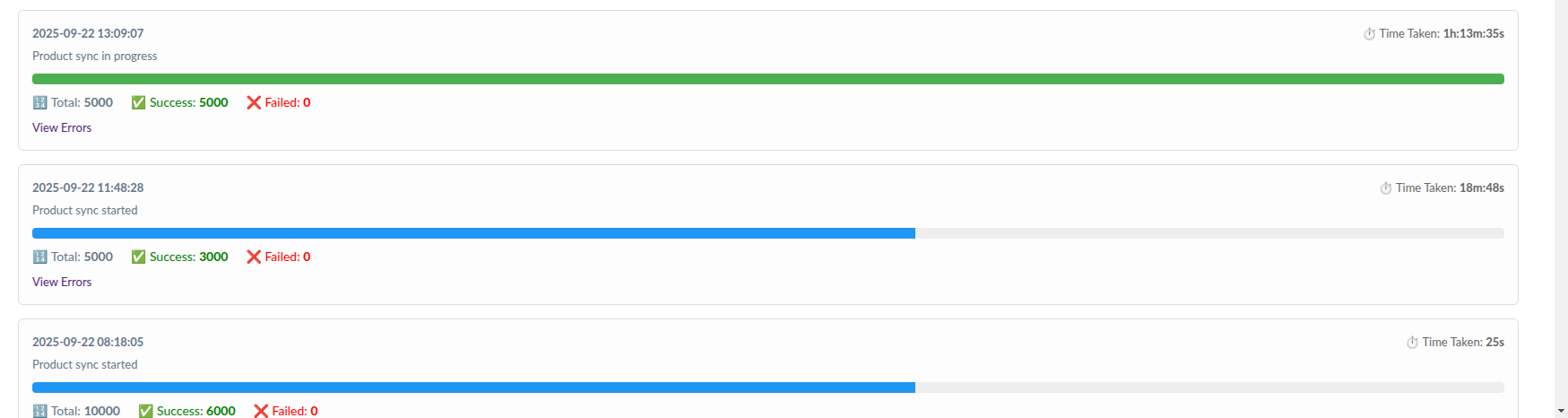
- Full Logging Dashboard – Shows sync history, execution details, and failures.
- Retry Mechanism – Automatically retries failed syncs to reduce error rates.
- Cron-Based Automation – Default daily sync with flexible scheduling.
- Multi-Environment Support – Connect multiple Adobe Commerce stores or credentials.